

SMTP & Email API Test Utility
A free, native tool for testing SMTP relay servers and email API providers. Built for email administrators, developers, and IT professionals who need to quickly verify email delivery configurations.
Windows, macOS & CLI available now
Clean, intuitive interface designed for professionals. Test SMTP servers, preview HTML emails, and diagnose delivery issues.
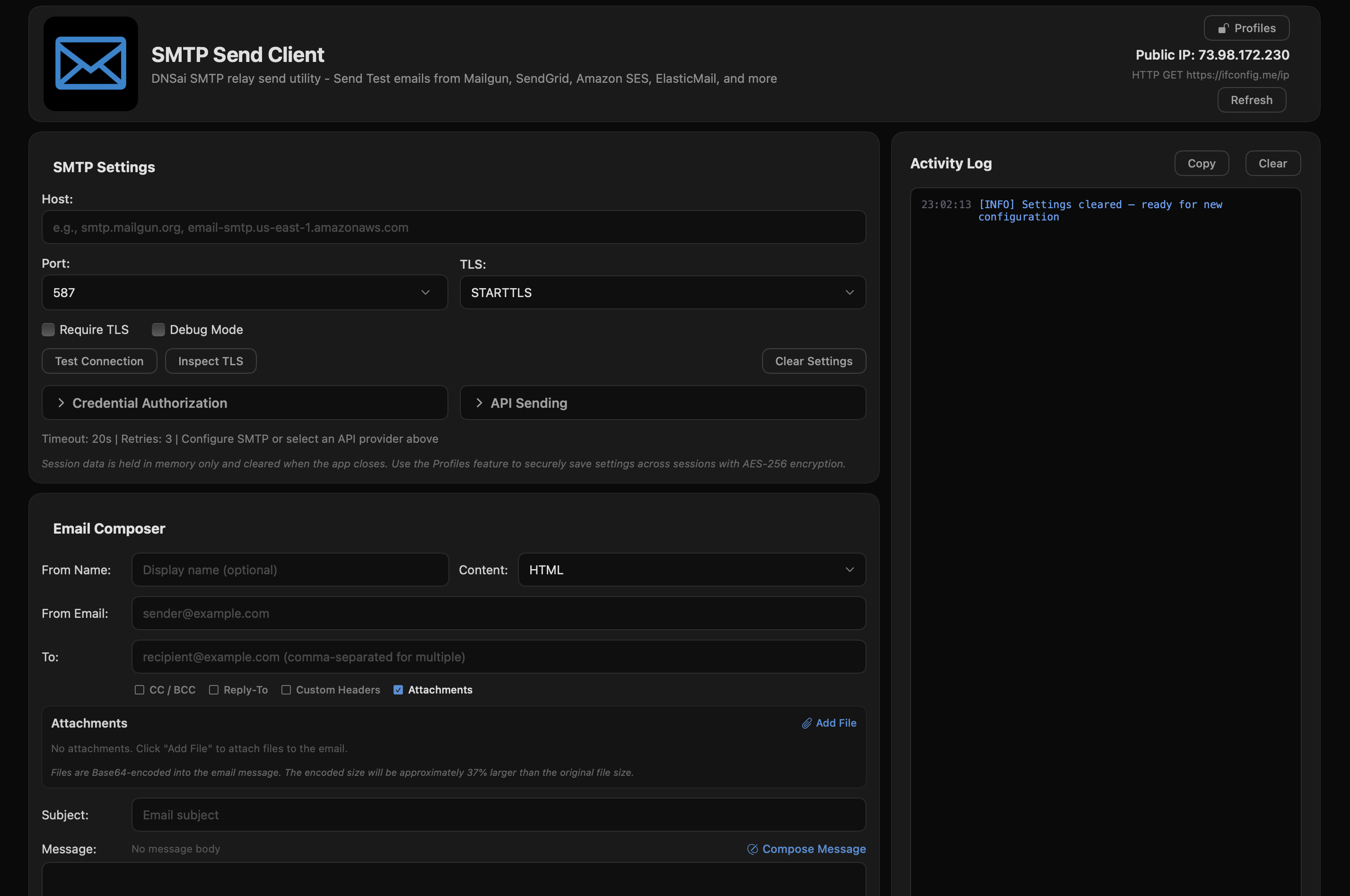
Main Interface - SMTP Configuration
Send test emails through any SMTP server or choose from 12 integrated API providers. Inspect TLS certificates, diagnose delivery issues, and securely store credentials.
Save SMTP and API credentials securely with AES-256-GCM encryption. Master password protection keeps your credentials safe between sessions.
View full certificate chains including protocol version, cipher suite, issuer details, validity dates, and SHA-256 fingerprints.
24-code error database with actionable troubleshooting hints. Port connectivity testing detects ISP blocking, firewall issues, and DNS failures.
Compose in plain text or HTML with auto-detection. Live preview with rendered and raw source views. 6 preloaded templates included.
One-click sending via SendGrid, Mailgun, Amazon SES, Postmark, Brevo, and 7 more providers with built-in authentication handling.
No analytics, no tracking, no data collection. Your credentials stay local. App Sandbox enabled for maximum security.
One-click API-based sending with all major email service providers. Authentication handled automatically.
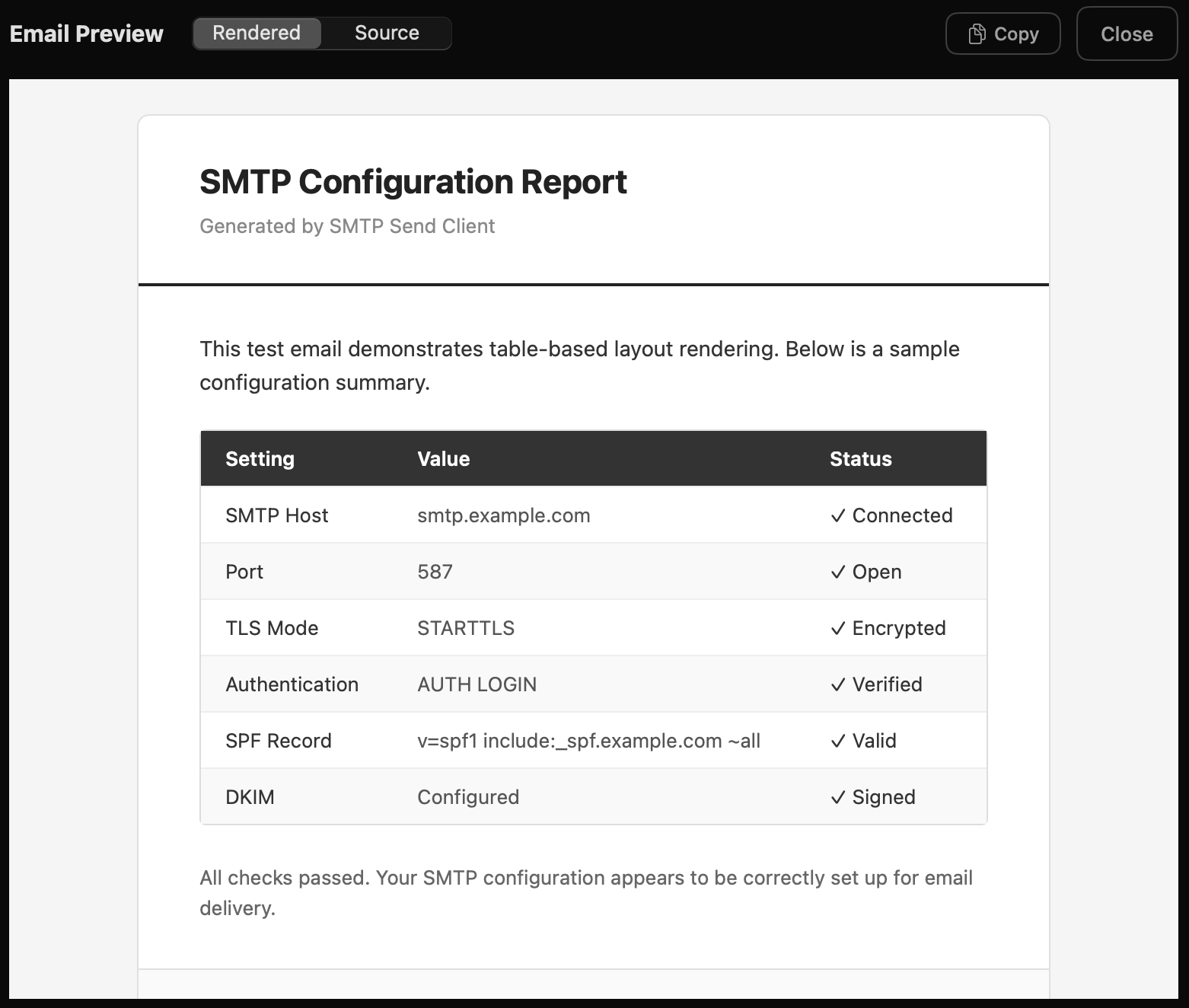
Live HTML Email Preview
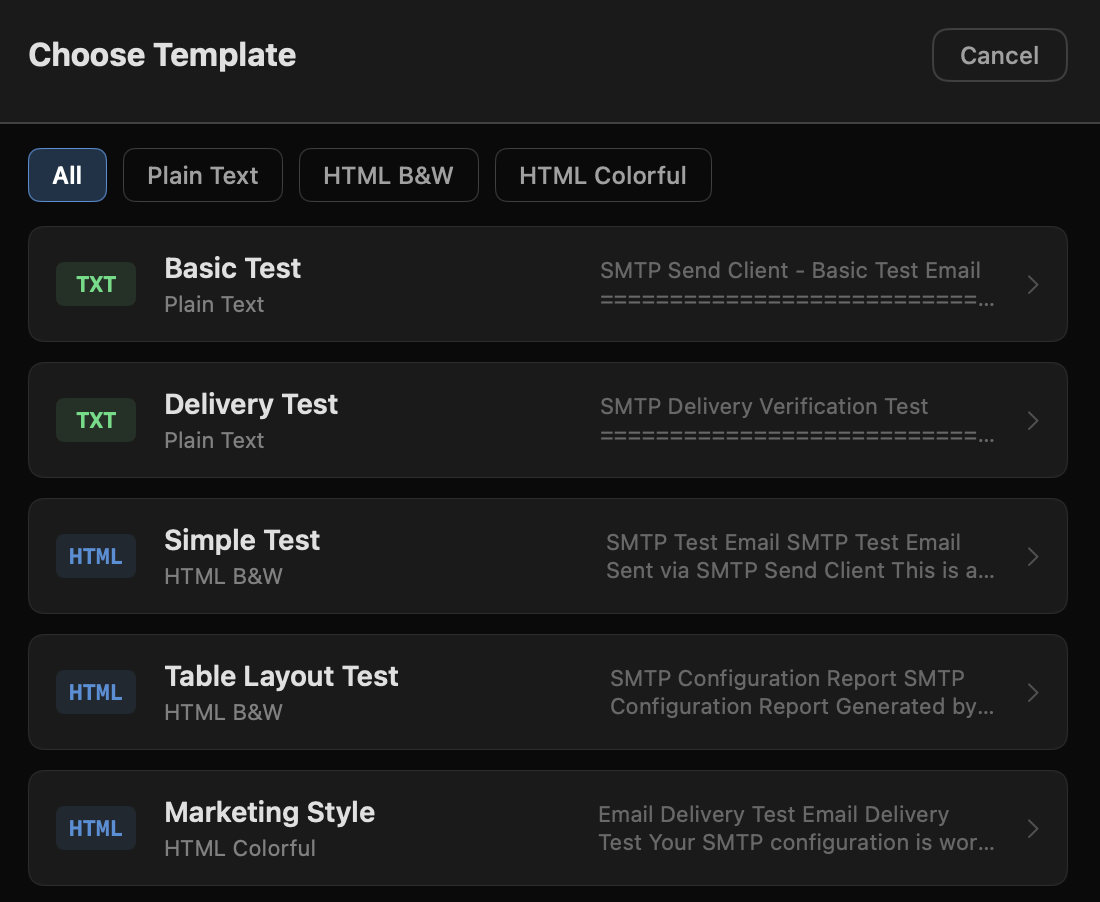
6 Pre-loaded Email Templates
No subscriptions, no limitations, no strings attached.

Windows 10/11 (x64)
Version 1.0.7.0
macOS 14.0+ (Universal)
Version 1.08
Python (Cross-platform)
Open Source
This public link is valid for 7 days and shares a thread, including any personal information you added. This link or copies made by others cannot be deleted. If you share with third parties, their policies apply. Can’t copy the link right now. Try again later.
Proof that ownership has transferred to you (if applicable).
: A popular temporary workaround involves changing your Wi-Fi DNS settings to a bypass server. This doesn't remove the lock but lets you use the iPhone for web browsing, videos, and music.
This report focuses on the iPhone 4S and iOS 9.3.5, and the findings may not be applicable to newer iPhone models or iOS versions. Future research directions may include:
:
While Apple’s official stance is that Activation Lock is a permanent security measure, several community-driven and technical methods exist to regain partial or full access. 1. Official Removal Methods (The "Safe" Path)
:
: Sign in at iCloud Find My with the original Apple ID. Select the device and click Remove This Device .
To break past the "Hello" screen and look at the native iOS 9.3.5 UI, an automated toolkit called (developed by developer Apple Tech 752) must be used. Hardware Bottleneck Warning iphone 4s activation lock bypass ios 9.3.5
The iPhone 4s is a legendary device. For many, it was their first smartphone. In 2025, these devices are mostly relegated to drawers as backups, music players for kids, or emergency phones. However, a frustrating barrier remains for millions of used iPhone 4s units: .
iPhone 4S Activation Lock Bypass iOS 9.3.5: A Comprehensive Guide
that promise to clear the lock from Apple’s servers for a fee. These are almost universally scams.
If you cannot reach the original owner, the DNS Bypass is the quickest way to get partial functionality out of your iPhone 4S without using a computer. This method changes the Wi-Fi routing path to direct your device to a custom server, allowing you to watch videos, browse the web, and use apps. Step-by-Step DNS Bypass Instructions: This public link is valid for 7 days
Software tools such as , Arduino Uno with a USB Host Shield (required to force the A5 chip into a pwned DFU state), or custom payload exploit senders. The A5 Exploitation Workflow
A Mac computer running macOS High Sierra up to macOS Mojave (newer macOS versions like Sonoma or Sequoia often break compatibility with legacy 32-bit USB pipelines).
This public link is valid for 7 days and shares a thread, including any personal information you added. This link or copies made by others cannot be deleted. If you share with third parties, their policies apply. Can’t copy the link right now. Try again later. Activation Lock for iPhone and iPad - Apple Support
Commercial tools offer a more user-friendly, point-and-click interface. However, they often come with a fee and may not be as transparent about their underlying mechanisms. Can’t copy the link right now
Activation Lock is a security feature tied to Apple's "Find My iPhone" service. It prevents unauthorized use of a device by requiring the original owner's Apple ID and password before the phone can be set up.
Verify SMTP servers, test API providers, inspect TLS certificates, and diagnose delivery issues. No cost, no limits.