Live Polling Updates
Accurate Voter Survey
Data Protection
User-Friendly Interface
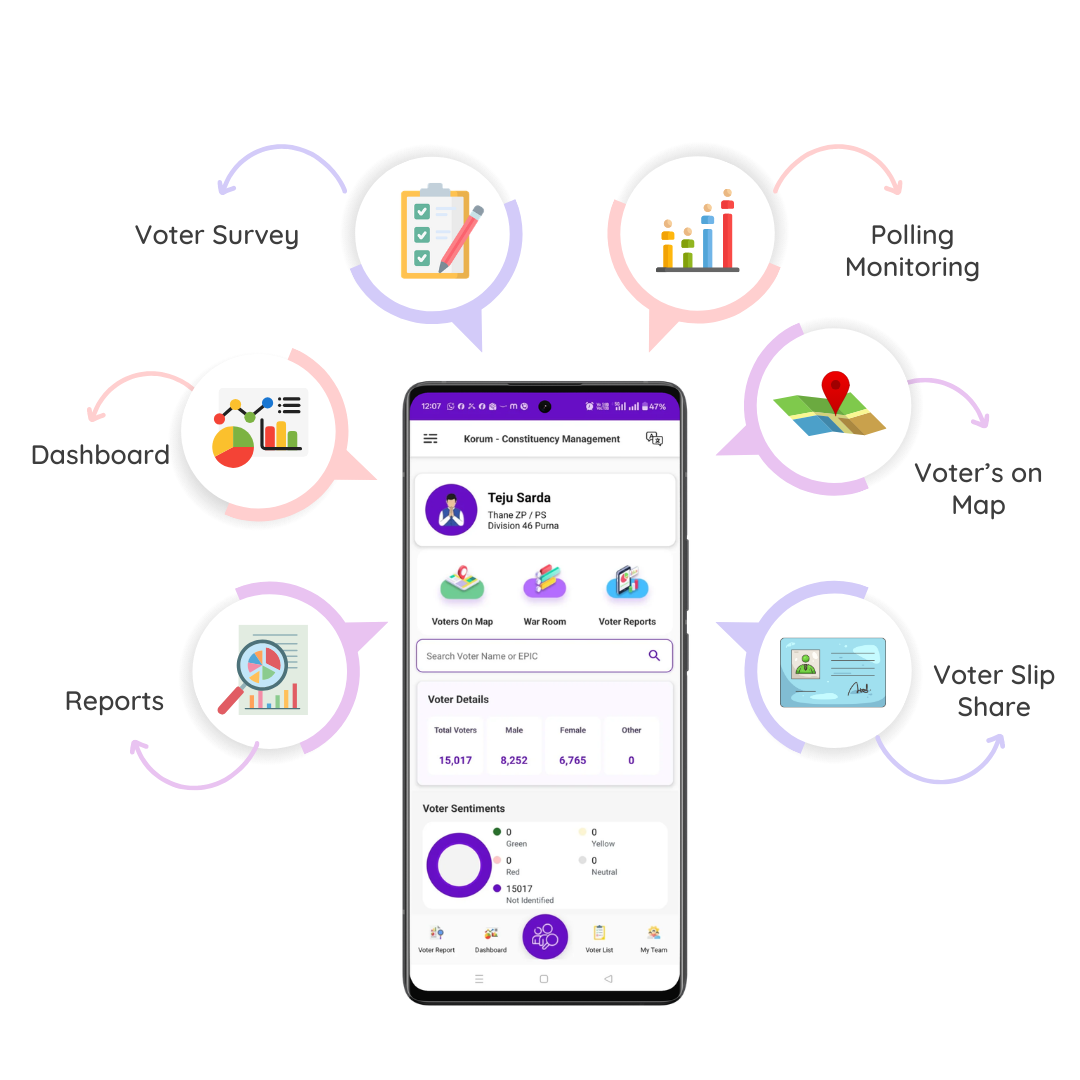
Smart voter management powered with Advanced
Voter Search, AI Contact Mapping, live War Room monitoring, Bluetooth voter slip printing,
and real-time sentiment tracking. Stay election-ready with booth analytics, polling day
control, detailed reports, and secure cloud access all in one powerful Election Management
App.
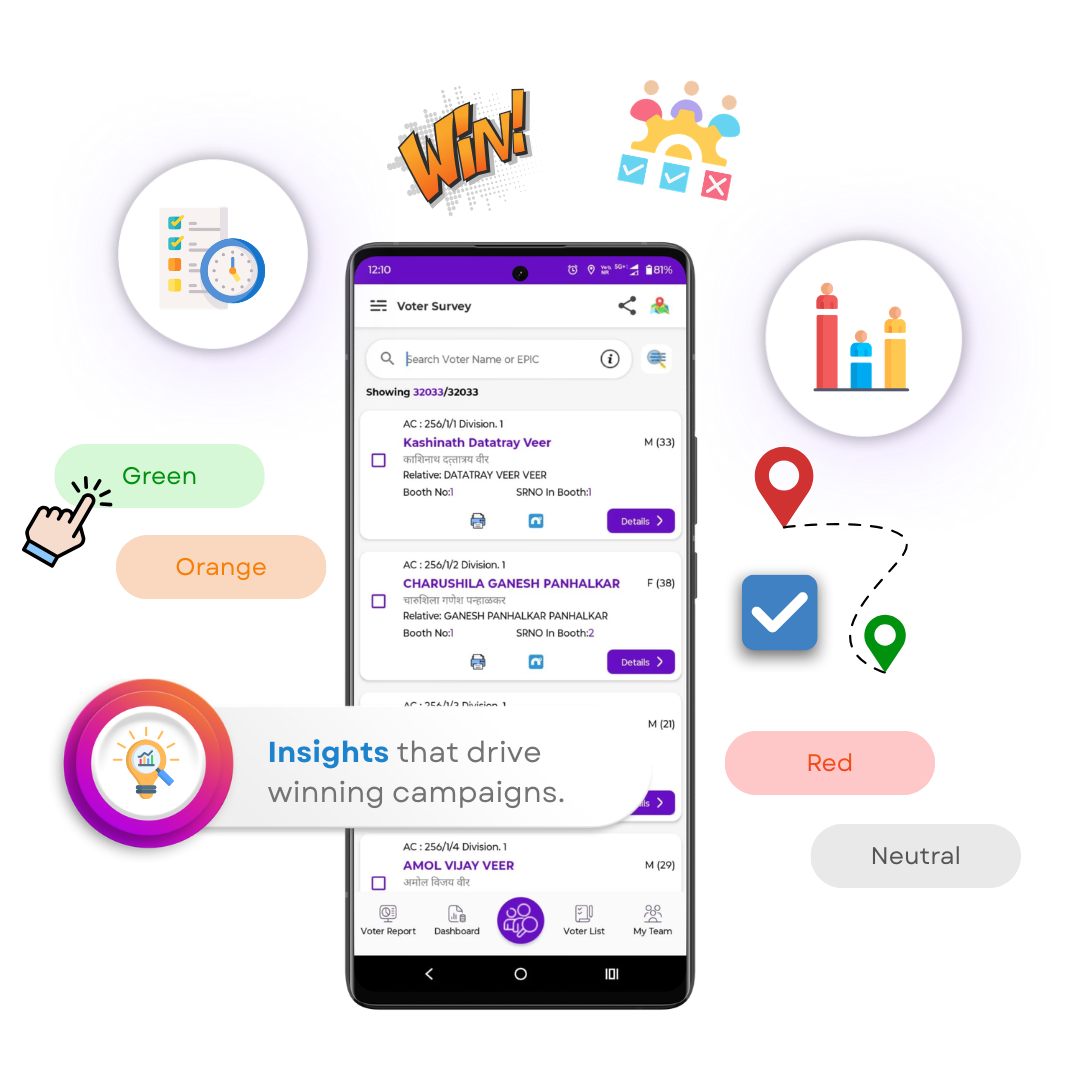
View all your supporters, including surveyed
voters, on an advanced interactive map with Korum App. Track supporter
distribution booth-wise and area-wise across your ward or constituency in real
time. Monitor voter sentiment, field progress, and team activity from one
centralised dashboard to make faster, data-driven decisions and manage
follow-ups more effectively.
View
surveyed voters and supporters with
colour-coded sentiment on the map
Navigate and reach voters easily with
location-based tracking
Get instant
booth-wise insights into supporter strength and trends
Plan visits and
follow-ups efficiently with real-time updates
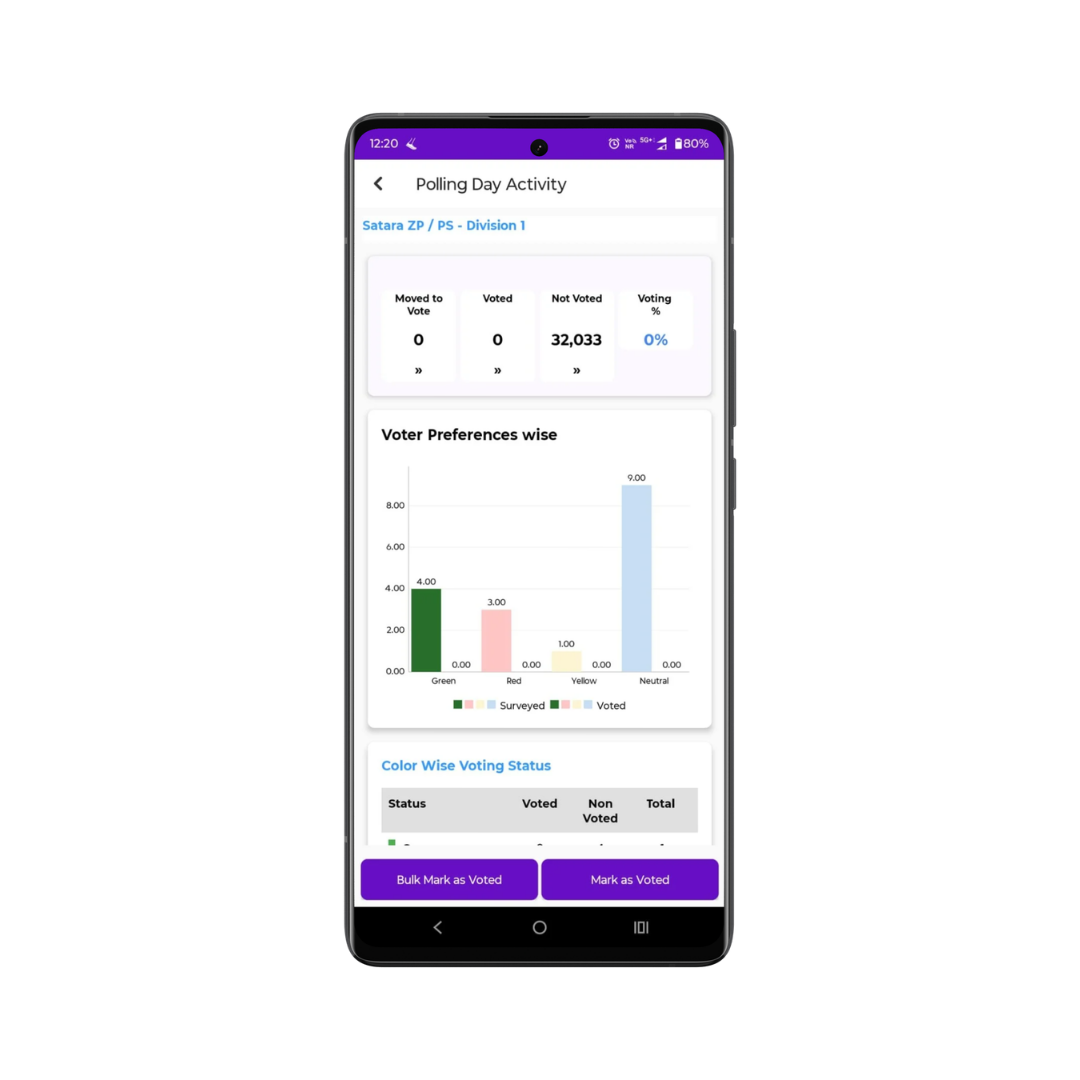
Track live voter turnout and polling activity with
Korum App, India’s leading Election Management App. Know exactly who has voted,
assign booth agents instantly, and boost voter participation with real-time
updates. Get booth-wise turnout insights and live trends to manage your election
campaign more effectively.
Monitor in real time which voters have voted and who are pending.
Assign and manage
booth agents instantly for better turnout control.
Send quick
reminders to voters who have not yet voted.
Get instant booth-level turnout updates and
live trend insights.
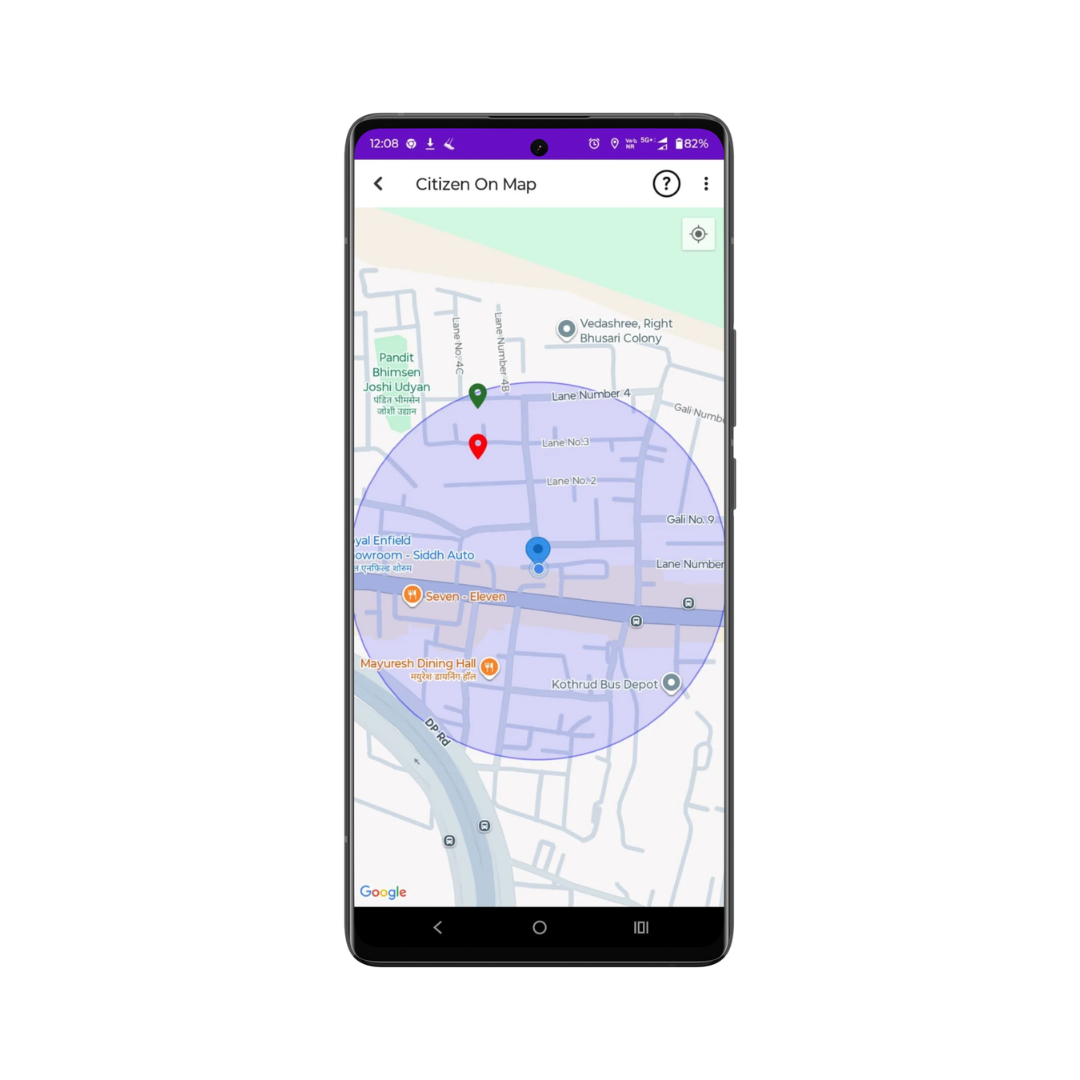
Visualise your complete voter base with Korum App,
India’s trusted Election Management App integrated with Google Maps technology.
View, filter, and analyse voters area-wise or zone-wise to plan targeted field
visits and faster follow-ups. Strengthen team coordination and improve
ground-level execution with accurate, real-time voter location
mapping.
View
all voter locations captured during detailed surveys.
Identify nearby
voters instantly for quick and efficient follow-ups.
Filter and
navigate voters easily based on area, zone, or booth.
Improve on-ground
coordination and route planning with live mapping.
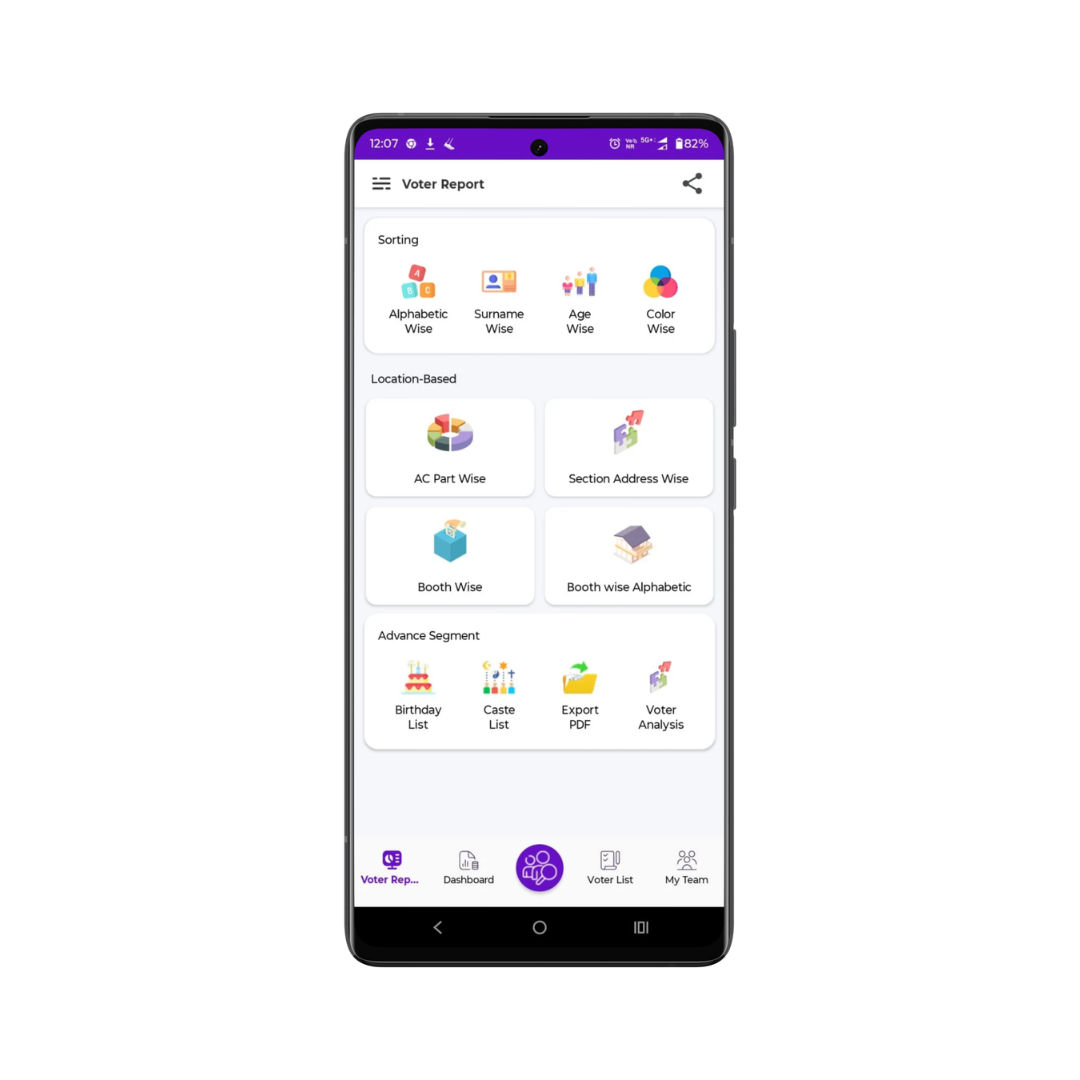
Generate detailed analytical reports with Korum App,
the smart Election Management App designed for data-driven campaigns. Analyse
voters by gender, category, age group, and support type to identify strengths,
gaps, and winning opportunities. Access booth-wise summaries, track trends, and
export reports instantly for faster, strategic decision-making.
View voters segmented
by gender, support type, category, or age group.
Identify strong
supporters, doubtful voters, and opposition clusters clearly.
Get quick booth-wise or area-wise summaries with trend insights.
Export detailed Excel
reports instantly for analysis or team sharing.
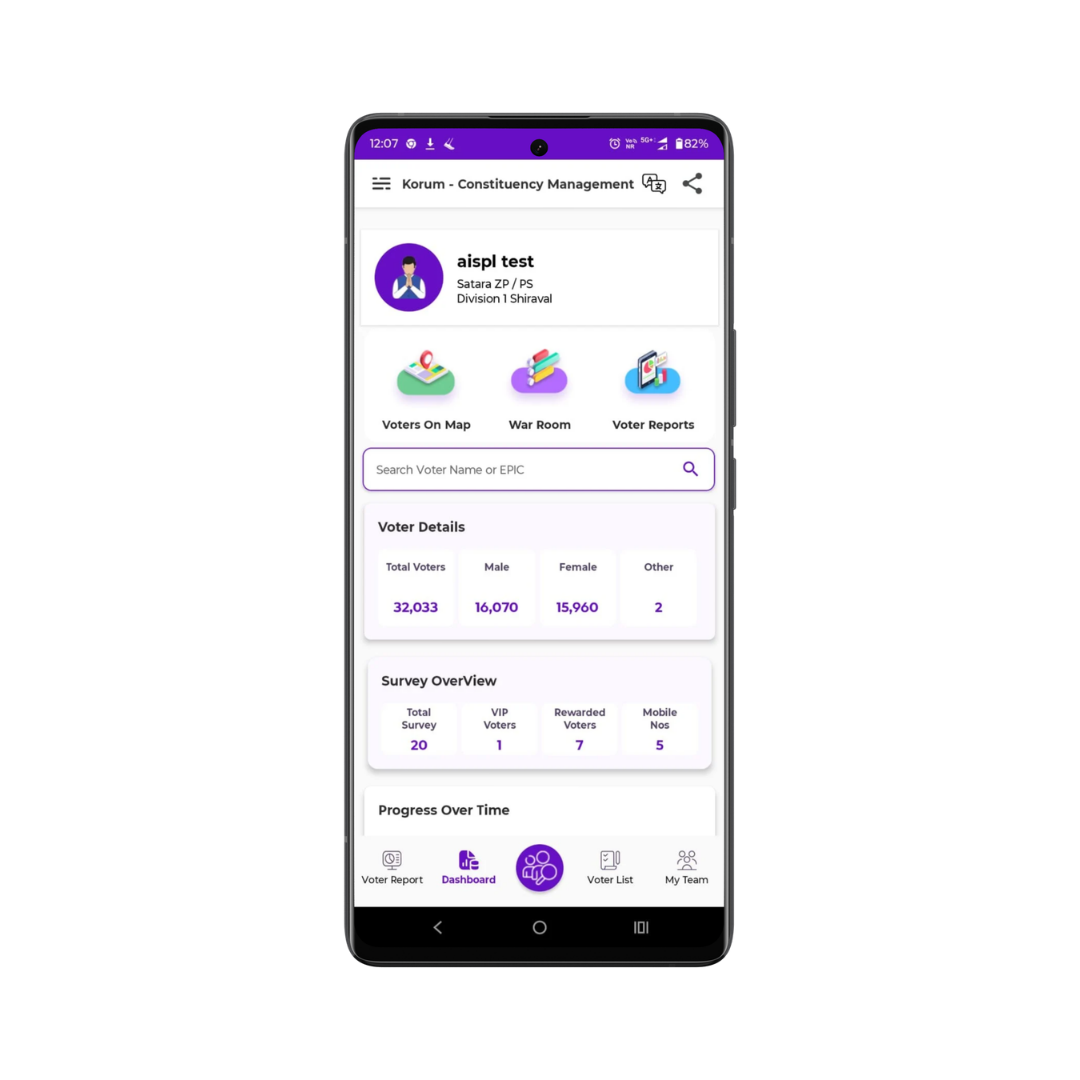
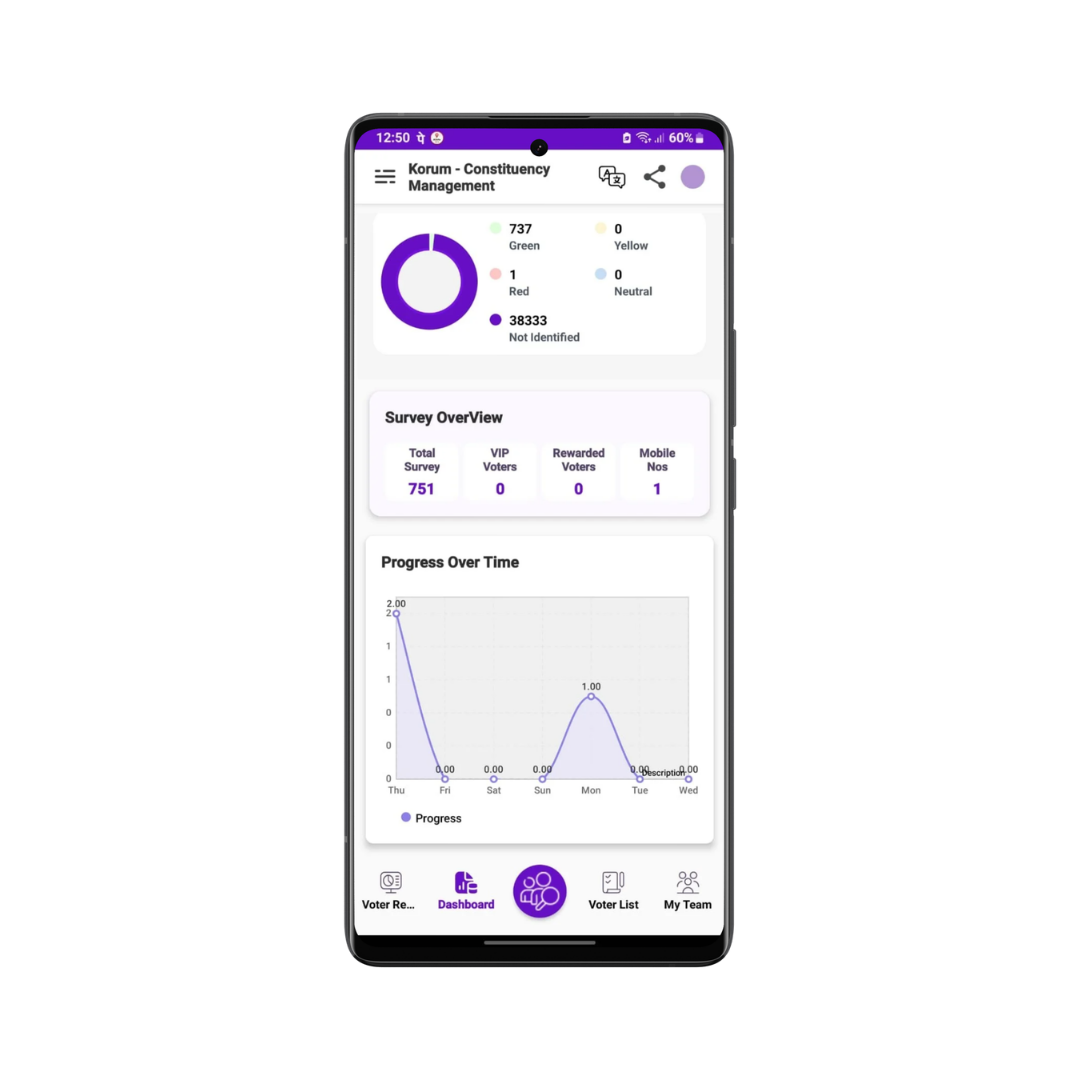
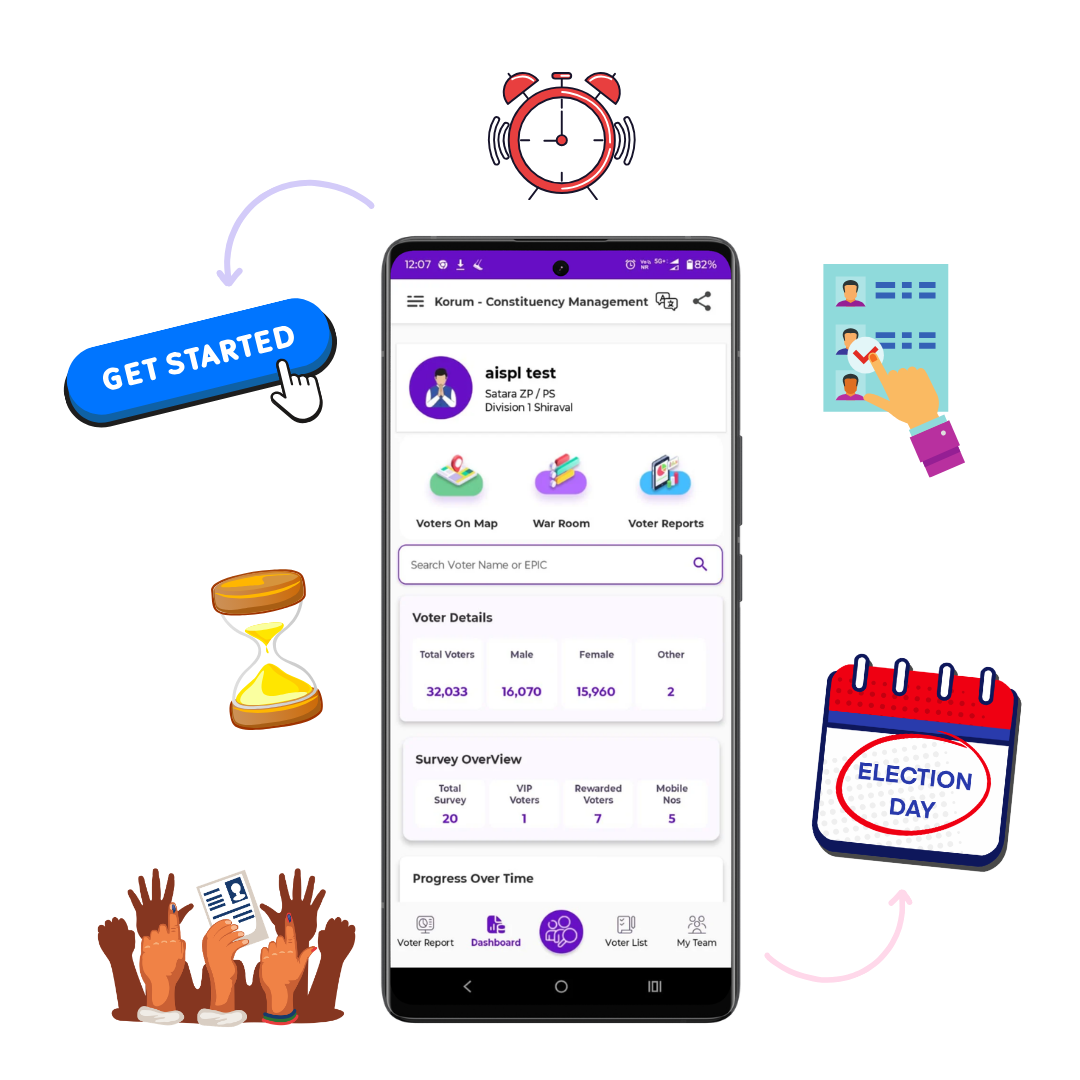
Get a complete overview of your campaign on a
single screen with Korum App, India’s advanced Election Management App. View
total voters segmented by gender, support type, and booth strength to measure
actual campaign performance. Compare area-wise progress, track growth patterns,
and make fast, data-driven decisions to improve election outcomes.
See total voters
clearly segmented by gender and support type.
Review booth-wise or ward-wise voter strength
instantly.
Compare
performance and supporter growth between different areas.
Make quick, data-driven campaign decisions with real-time insights.
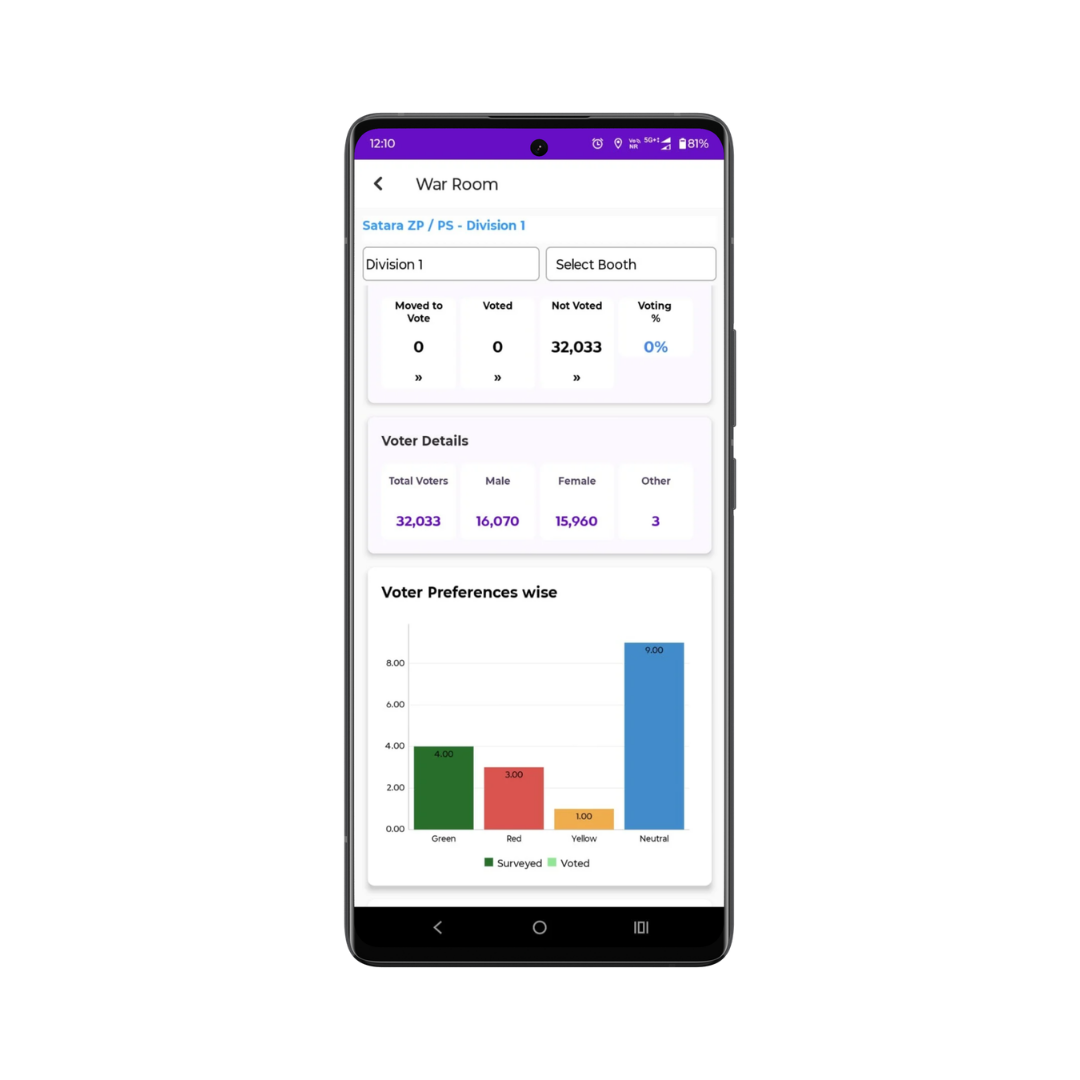
The War Room delivers a complete booth-wise voting
summary in real time from one centralised control centre. Monitor live voting
progress, track how many supporters have voted or are still pending, and receive
instant updates from ground workers. Make fast, data-driven decisions during
polling hours and efficiently manage supporter rewards with full
transparency.
Track in real time how many supporters have voted versus those remaining.
Get accurate
booth-wise voting estimates for targeted supporters.
Easily manage, record, and monitor rewards distributed to supporters.
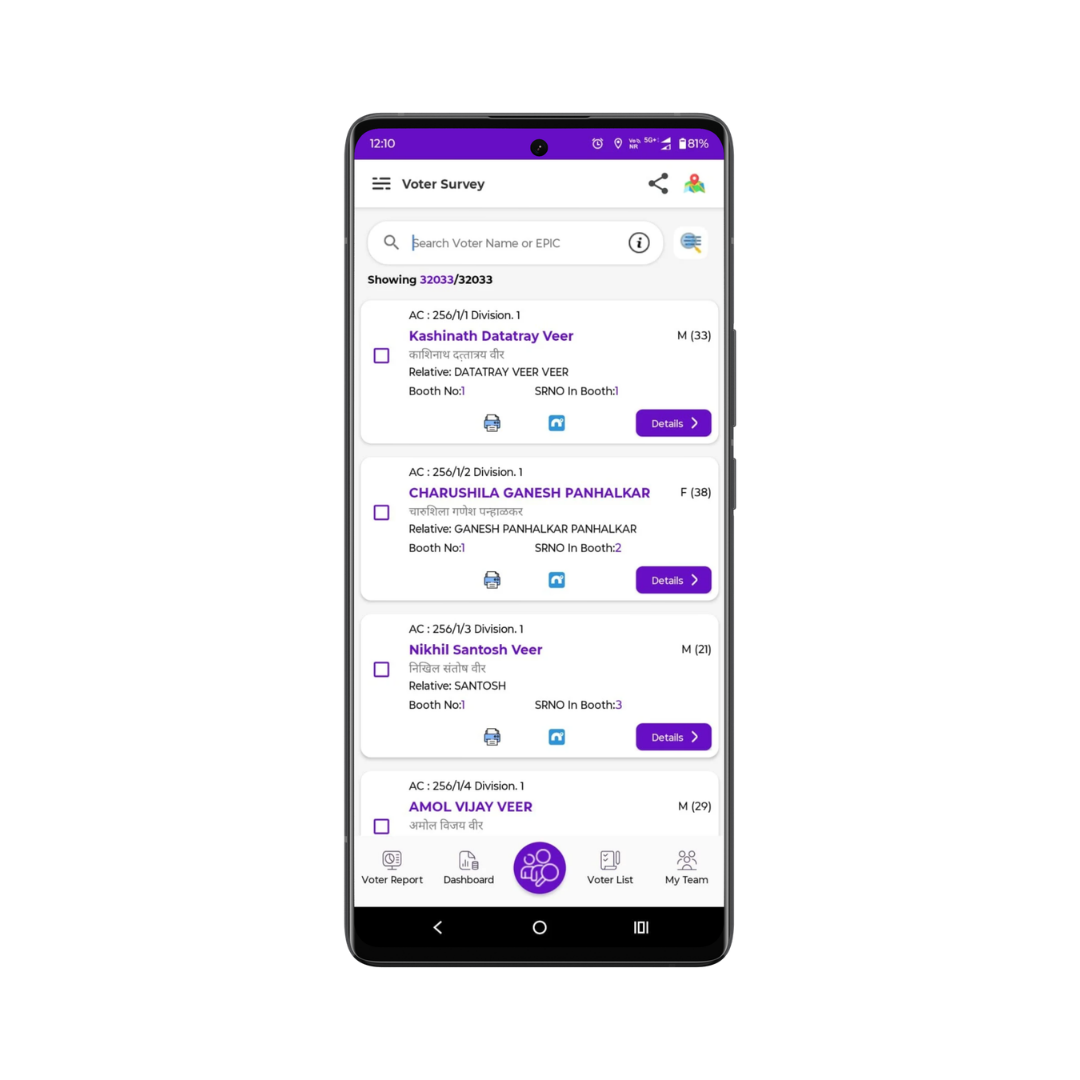
Finding voters is faster and smarter with Korum’s
centralised and advanced voter search system. Search and access complete voter
details across the entire ward within seconds using name, surname, EPIC number,
or mobile number. Connect instantly through built-in call, WhatsApp, and
messaging tools, and share voter information or campaign updates seamlessly
without switching apps.
Call,
WhatsApp, or send voter details via text
directly from the app.
Share booth
slips along with your campaign
banner instantly.
Communicate and coordinate without switching between multiple apps.
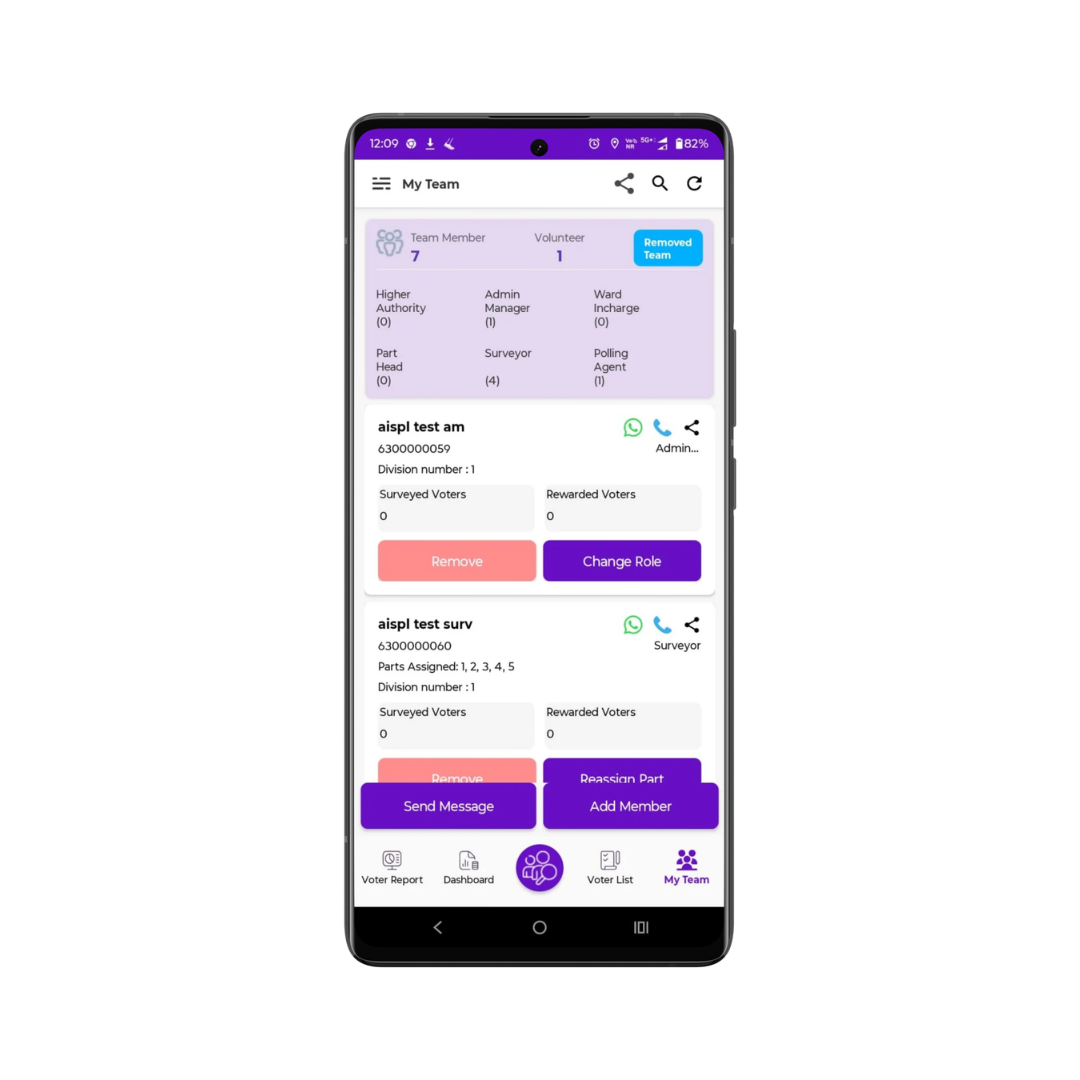
Manage your campaign team effortlessly with complete
visibility and centralised control. Track the entire team hierarchy in real time
from a single platform, from candidate level to booth worker. Stay connected
with every member, assign roles clearly, and monitor responsibilities to improve
coordination, accountability, and smooth execution across your
campaign.
View
the complete team hierarchy under every role directly at the candidate
level.
Call or
WhatsApp any added team member instantly from within the app.
Strengthen coordination and execution with centralised team management and
role-based access
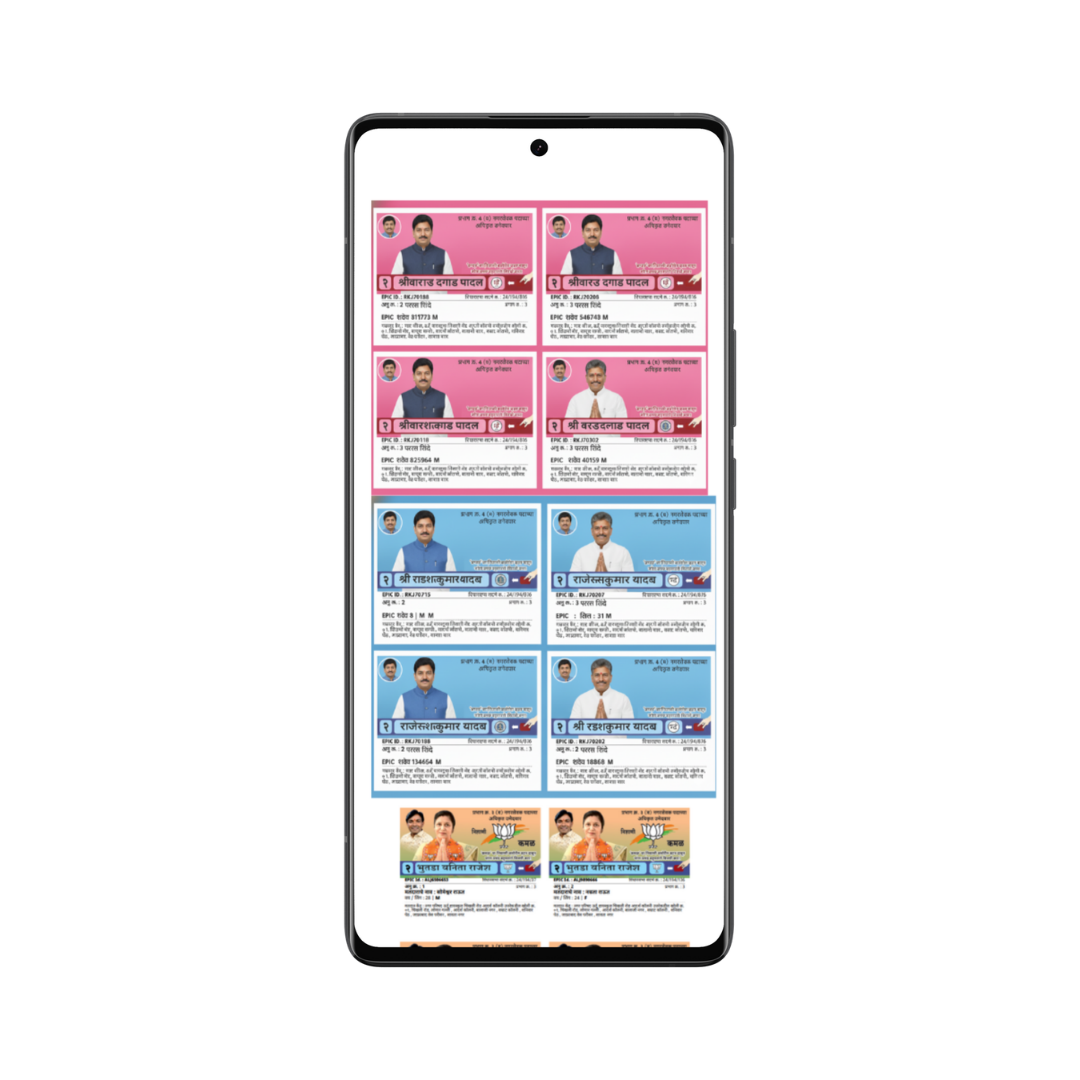
With the Voter Slip Share feature, generate and
share booth-wise voter slips instantly in an organised PDF format. Each PDF
includes a structured official header with ward name, booth number, booth name,
polling date, and election details. Create separate PDFs for each booth to
manage voter information efficiently and ensure smooth coordination at the booth
level on polling day.
Booth-wise Voter Slip Generation:
Create a separate PDF for each booth containing complete voter details of that
booth in a single, well-organised document.
PDF with Official Header:
Each PDF displays ward name, booth number, booth name, polling date, and
Assembly/Municipal information in a clear header format, making the slip more
professional and easy to read.
Manage
your constituency in real time with Korum, the trusted all-in-one Election
Management App.
Plan smarter, track booth performance, analyse reports, and execute your campaign
with data-driven precision.
Download Now
Korum is a powerful and secure voter management solution designed to help political teams manage constituencies with precision. From voter analysis and booth tracking to polling day monitoring and team coordination, Korum simplifies complex campaign operations and transforms them into structured, data-driven actions. With real-time insights, advanced analytics, AI-powered features, and strong data protection, Korum enables leaders to focus on strategy while the system handles execution efficiency.
Download NowWe believe in open communication and honest operations. Transparency is the foundation of Korum.
Our dedicated support team is always ready to help you. We ensure a seamless experience.
Your data security is our top priority. We use advanced encryption protocols to protect your information.
Navigate easily with a clean, intuitive interface that helps you manage your tasks quickly.
Empower your campaign with real-time insights, transparent operations, and advanced secure voter management, all in one powerful Election Management App. Save valuable time, streamline coordination, improve booth-level execution, and lead your team confidently with intelligent, data-driven tools built for winning campaigns.
Download Now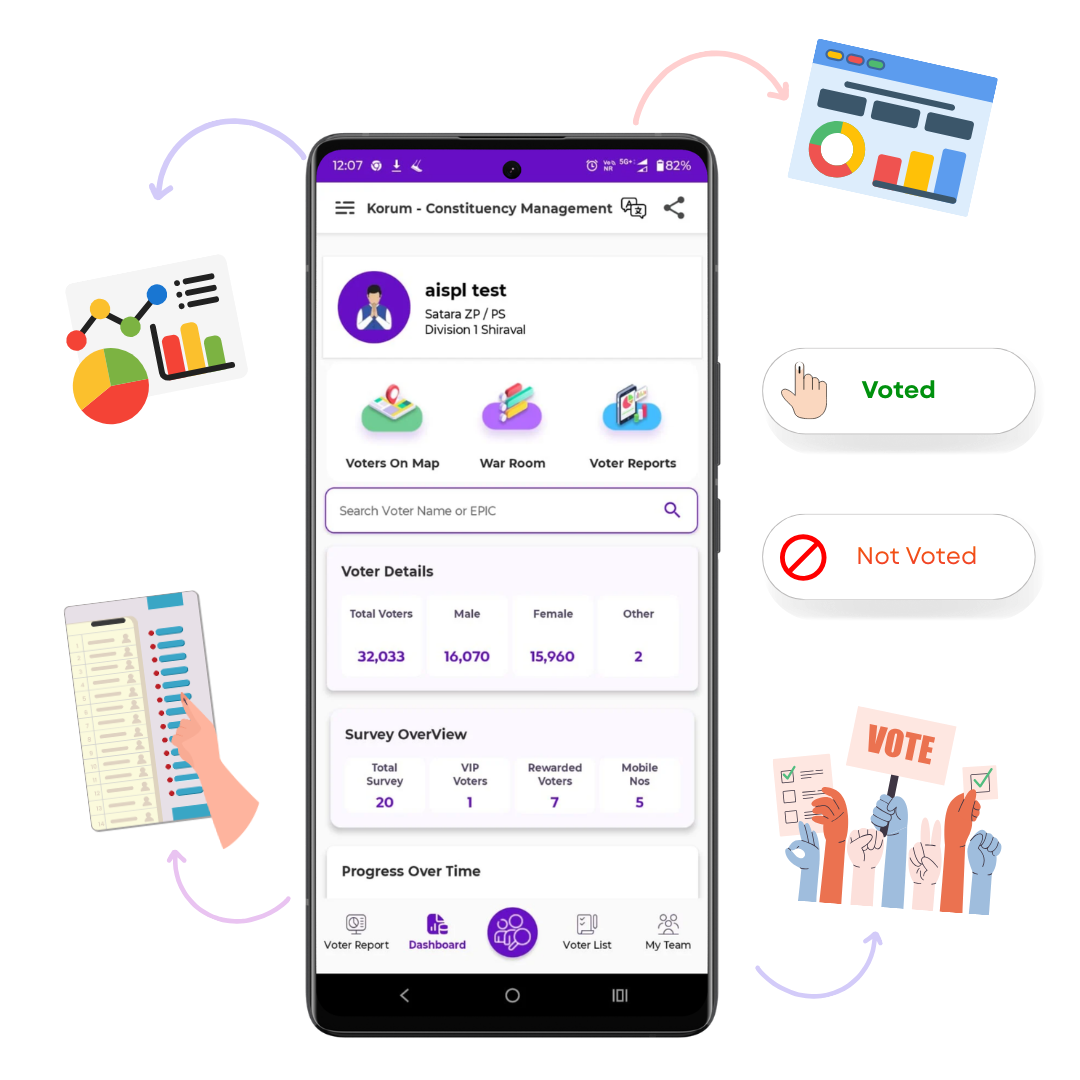
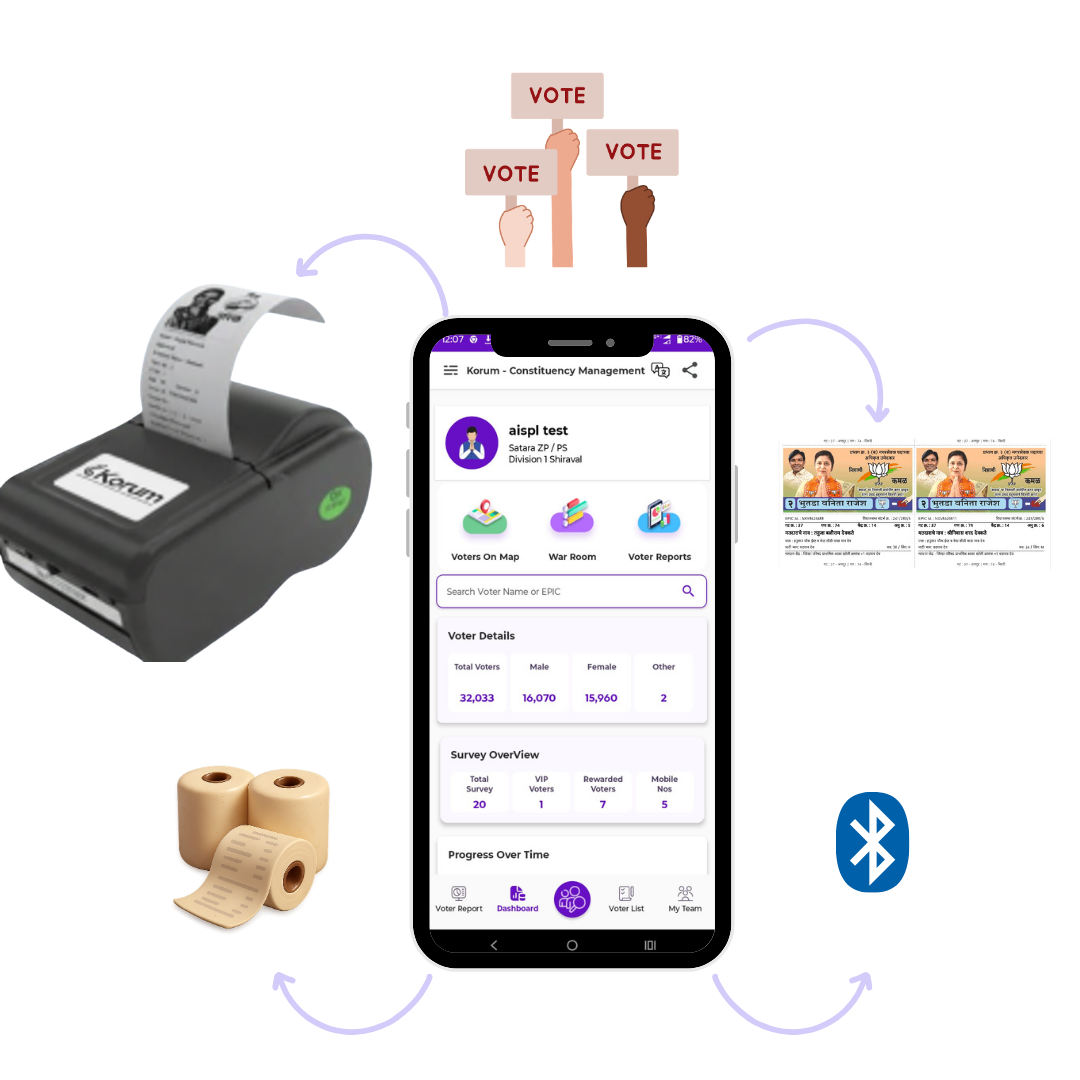
Print booth-wise voter slips instantly
by connecting a Bluetooth printer directly to the Korum App. Generate slips with
your candidate name, election symbol, and complete voter details within seconds.
Save time, reduce manual effort, and streamline last-minute booth management with
fast and reliable slip printing.
Wireless instant slip printing
Booth-wise structured
voter slips
Fast and
efficient polling-day support
Download
Now
This specific package is designed for 32-bit ARM processors (ARMv7 or compatible), which are commonly found in older devices or low-cost smartphones.
: Packages typically stay under 90MB, leaving ample system partition space for user apps.
: References the target processor infrastructure. This denotes standard 32-bit ARM (ARMv7) execution, separating it fundamentally from modern 64-bit systems ( arm64 ).
The remains an enigma, but by analyzing its components and possible applications, we've shed some light on its potential significance. As technology continues to evolve, it's essential to stay informed about emerging trends, tools, and platforms.
When searching for direct download links for custom software, be extremely careful. Many third-party sites host modified files that can contain malware. Always verify the source. bitgappsarm1200r45 link
user wants a comprehensive article about "bitgappsarm1200r45 link". The keyword seems specific and obscure. Based on search results, BITGAPPS appears to be a minimal Google Apps package for ARM devices, and "bitgappsarm1200r45" likely refers to a specific version. The user is likely looking for detailed information, download links, and installation instructions. I need to find the actual download link and gather technical details.
First, the name "bitgappsarm1200r45" probably refers to a version of BitGApps, which are Google Apps for custom Android ROMs. Bitgapps is a popular project that provides these apps for 64-bit architecture. The "arm1200r45" suggests it's for a specific ARM variant, maybe a 64-bit ARM processor. The "r45" likely denotes the release number or version, possibly related to Android R, which is Android 11.
BitGApps ARM 12.0 R45: A Complete Guide and Download Information
It provides the essential Google services and apps (like the Play Store, Play Services, and Setup Wizard) without the bloatware that often slows down custom ROMs. This makes it a favorite choice for users who want a clean Android experience while still having access to the Google ecosystem. This specific package is designed for 32-bit ARM
To check: Use an app like CPU-Z to verify if your device is ARM or ARM64 under the "System" tab. How to Choose the Right BitGApps Package
: Trigger a Format Data (answering "yes") to clear existing file encryption conflicts.
The search results for do not provide any direct information, software, or valid download links associated with this specific term, suggesting it may be a typo or a highly niche/obsolete term.
: Allows users to choose exactly which apps they want. 📂 Download & Identification When searching for direct download links for custom
The search query refers directly to the download path for BiTGApps for Android 12 (version 12.0.0, Release 45) built for 32-bit ARM (arm) architectures . Custom ROM enthusiasts use this lightweight Google Apps package to add Google Mobile Services (GMS) to clean operating system installations.
: Immediately select and install the BiTGApps package.
Before flashing the package, verify that your device parameters strictly match the release criteria to avoid permanent boot loops: Required Specification ARM (32-bit) Android OS Base Android 12.0.0 / API 31 System Status Clean installation or existing BiTGApps setup Custom Recovery TWRP, OrangeFox, or Lineage Recovery Step-by-Step Installation Guide
This specific package is designed for 32-bit ARM processors (ARMv7 or compatible), which are commonly found in older devices or low-cost smartphones.
: Packages typically stay under 90MB, leaving ample system partition space for user apps.
: References the target processor infrastructure. This denotes standard 32-bit ARM (ARMv7) execution, separating it fundamentally from modern 64-bit systems ( arm64 ).
The remains an enigma, but by analyzing its components and possible applications, we've shed some light on its potential significance. As technology continues to evolve, it's essential to stay informed about emerging trends, tools, and platforms.
When searching for direct download links for custom software, be extremely careful. Many third-party sites host modified files that can contain malware. Always verify the source.
user wants a comprehensive article about "bitgappsarm1200r45 link". The keyword seems specific and obscure. Based on search results, BITGAPPS appears to be a minimal Google Apps package for ARM devices, and "bitgappsarm1200r45" likely refers to a specific version. The user is likely looking for detailed information, download links, and installation instructions. I need to find the actual download link and gather technical details.
First, the name "bitgappsarm1200r45" probably refers to a version of BitGApps, which are Google Apps for custom Android ROMs. Bitgapps is a popular project that provides these apps for 64-bit architecture. The "arm1200r45" suggests it's for a specific ARM variant, maybe a 64-bit ARM processor. The "r45" likely denotes the release number or version, possibly related to Android R, which is Android 11.
BitGApps ARM 12.0 R45: A Complete Guide and Download Information
It provides the essential Google services and apps (like the Play Store, Play Services, and Setup Wizard) without the bloatware that often slows down custom ROMs. This makes it a favorite choice for users who want a clean Android experience while still having access to the Google ecosystem.
To check: Use an app like CPU-Z to verify if your device is ARM or ARM64 under the "System" tab. How to Choose the Right BitGApps Package
: Trigger a Format Data (answering "yes") to clear existing file encryption conflicts.
The search results for do not provide any direct information, software, or valid download links associated with this specific term, suggesting it may be a typo or a highly niche/obsolete term.
: Allows users to choose exactly which apps they want. 📂 Download & Identification
The search query refers directly to the download path for BiTGApps for Android 12 (version 12.0.0, Release 45) built for 32-bit ARM (arm) architectures . Custom ROM enthusiasts use this lightweight Google Apps package to add Google Mobile Services (GMS) to clean operating system installations.
: Immediately select and install the BiTGApps package.
Before flashing the package, verify that your device parameters strictly match the release criteria to avoid permanent boot loops: Required Specification ARM (32-bit) Android OS Base Android 12.0.0 / API 31 System Status Clean installation or existing BiTGApps setup Custom Recovery TWRP, OrangeFox, or Lineage Recovery Step-by-Step Installation Guide
We're here to help. Reach out to us through any of these channels.
Stay connected with us on social media
Visit us at our location
Get the Korum app on your Android device
Download App Download DesktopCompatible with Android 5.0 and above